How to Connect a Cloud Product to a Customer's On-Premise Software
A cloud product reaches software in a customer's office through a local agent that connects outbound. Here's the pattern, what IT will ask, why you'll poll, and how to keep hundreds of machines healthy. Updated November 2026.
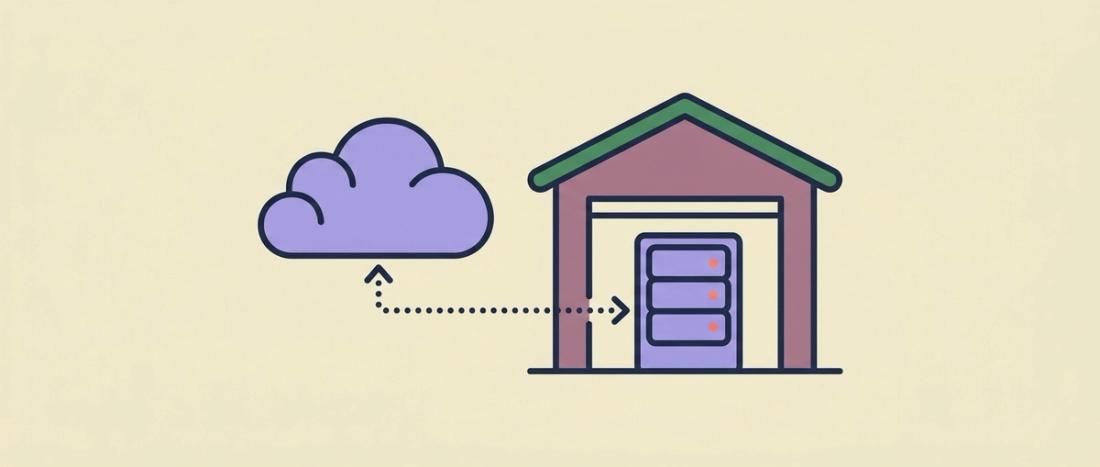
A cloud product reaches software inside a customer's office through a small agent installed on a machine in that network. The agent opens an outbound connection to your cloud, does the work against the local software, and sends back the results. Building one agent is the smaller job. Keeping hundreds of them healthy, across offices with different IT setups, is where the effort goes.
TL;DR
- Office networks block inbound connections, so the cloud can't call the software directly. Something inside the network has to call out.
- The standard pattern is a local agent on a dedicated Windows machine or VM, running under its own user, with an outbound-only encrypted connection.
- IT approval goes faster with a one-page answer to six questions: what's installed, under which user, which outbound addresses, where credentials live, how updates happen, and how to remove it.
- Desktop software rarely emits events. Plan on polling, and choose the interval by use case.
- Supergood runs this as a managed service: each machine registers like a service account, reports its health and updates itself, and you call the same API you'd call for a cloud system.
Four ways to reach on-premise software
| Pattern | How it works | Works when | Watch for |
|---|---|---|---|
| Vendor's cloud sync or API | The vendor runs its own bridge and exposes an API | The vendor offers it for your use case | Cost per location, partner approval, coverage of write actions |
| Inbound VPN or port forwarding | Your cloud connects into the office network | IT is willing to open and maintain it | Security review, static addresses, one setup per office |
| Local agent, outbound connection | An agent inside the network calls out to your cloud | Most offices, since outbound traffic is already allowed | Installs, updates and monitoring across many machines |
| Shipped device | A preconfigured box is plugged in behind the firewall | No spare machine or IT staff on site | Hardware logistics |
Why the cloud can't call in
An office server sits behind a firewall and has no public address. Opening an inbound port or a site-to-site VPN for each office is possible. It also tends to stall in security review, and it breaks when the office changes internet providers.
Outbound connections are already allowed almost everywhere, because that's how every browser in the building works. So the pattern that scales has the office side call out.
The local agent pattern
- A dedicated machine. A Windows PC or VM that can reach the software: it either runs the desktop client or sits next to the server. Dedicated, so a staff member closing a window never interrupts a run.
- A dedicated user. A Windows login and an application login created for the integration, with the permissions a staff member in that role would have. The customer creates and controls both.
- An outbound connection. The agent keeps an encrypted connection open to the cloud and receives work over it. No inbound ports.
- Local work at the deepest layer available. On the machine, the agent talks to the software's server or database where it can, uses the Windows accessibility API where it can't, and works on the screen last. How to integrate with desktop software that has no API explains the layers.
Pick this when: the software runs on the customer's own machines, and the vendor has no API program that fits.
What IT needs from you
Send these answers as one page before the first call with IT. It usually shortens the approval thread.
- What gets installed, and which Windows user it runs as.
- Which outbound domains and ports to allow. Inbound ports: none.
- Where application credentials are stored, and who can read them.
- What data leaves the network, and what stays.
- How updates are delivered.
- How to stop or remove the agent.
Plan on polling
Desktop software rarely tells anyone when something changes. There's no webhook to subscribe to, so the agent checks on a schedule: every minute or two for appointment books and work queues, hourly or nightly for reporting.
Pick the interval from how stale the data is allowed to be. Then cache the results in the cloud, so a voice agent or a web page reads the cached copy without waiting on the office machine.
Keeping a fleet healthy
One machine is easy. Across 50 or 500 locations, things like these happen regularly:
- A machine restarts for Windows updates.
- Someone logs the integration user out.
- The software updates itself overnight and opens on a what's-new dialog.
- A license seat gets taken by a person.
- The office changes its network.
Handling that takes a heartbeat from every machine, a reset routine that returns the app to a known screen and keeps it open between runs, automatic agent updates, remote repair, and one identity per machine so work can be routed to a specific office.
How Supergood handles it
Supergood provides the agent, the fleet tooling and the integration as one managed service. The installer is tied to your organization. Each machine it runs on registers like a service account: you address an office by its account, and call the same REST API and MCP tools you'd use for a cloud system.
- Speed. Once IT has approved the machine and its network access, installing the agent takes minutes, and each new location reuses the integration that's already built. Where the software has a server or database behind it, calls run at the network layer and return quickly.
- Reliability. Production runs are deterministic at every layer: generated code at the network layer, named controls through the Windows accessibility API, and recorded, validated replay on screen, including apps reached through Citrix. Machines report a heartbeat and reset to a known state between runs.
- Management. The agent updates itself, runs keep logs and per-step screenshots, and Supergood repairs the integration when the software changes. Your team spends very little time maintaining it.
When the vendor's route is the better deal
Some desktop vendors sell API access per location. For a single office, that's often the cheaper and simpler choice, and it comes with the vendor's support. The agent approach pays off across many locations, across several different systems, or where no program exists for what you need to do.
Pick the vendor's route when: you serve one or a few locations and the vendor's API covers your actions.
FAQ
How does a cloud app connect to on-premise software? Through a local agent on a machine inside the customer's network. The agent opens an outbound encrypted connection to the cloud, receives work over it, and runs that work against the local software.
Do I need a VPN to integrate with software on a customer's server? Usually no. An agent that connects outbound avoids inbound ports and site-to-site VPNs, which is why IT teams approve it more readily.
What does the customer's IT team need to allow? A dedicated Windows machine or VM, a dedicated user, the agent install, and outbound access to a short list of addresses. No inbound ports are opened.
Can I get webhooks from desktop software? Rarely. Most desktop software has no event system, so integrations poll on a schedule and cache the results. A one or two minute interval covers most scheduling and queue use cases.
How does Supergood handle on-premise software? Supergood installs a managed agent on a dedicated Windows machine. Each machine registers like a service account, reports its health and updates itself, and you call the same REST API and MCP tools you'd use for a cloud system.
Related reading
- How to Integrate With Desktop Software That Has No API: the five layers, compared.
- How to Automate an Application Behind Citrix or Remote Desktop: the screen path, made repeatable.
- The Voice Agent Latency Budget: how fast a tool call needs to be on a live call.
- How to Automate Software That Has No API: the same question for web portals.
Find your platform
Look up any platform's API grade, and whether it runs in the cloud or on-premise, on the API Report Card.
Updated November 2026. Supergood revisits this guide quarterly.