Connect Zapier, Make, and n8n to Legacy Enterprise Platforms
Your no-code tool says no connector available. An independent reference for which legacy enterprise platforms Zapier, Make, and n8n can reach, which they cannot, and what connecting the rest through a generated API could look like. Compatibility matrix plus step-by-step flows.
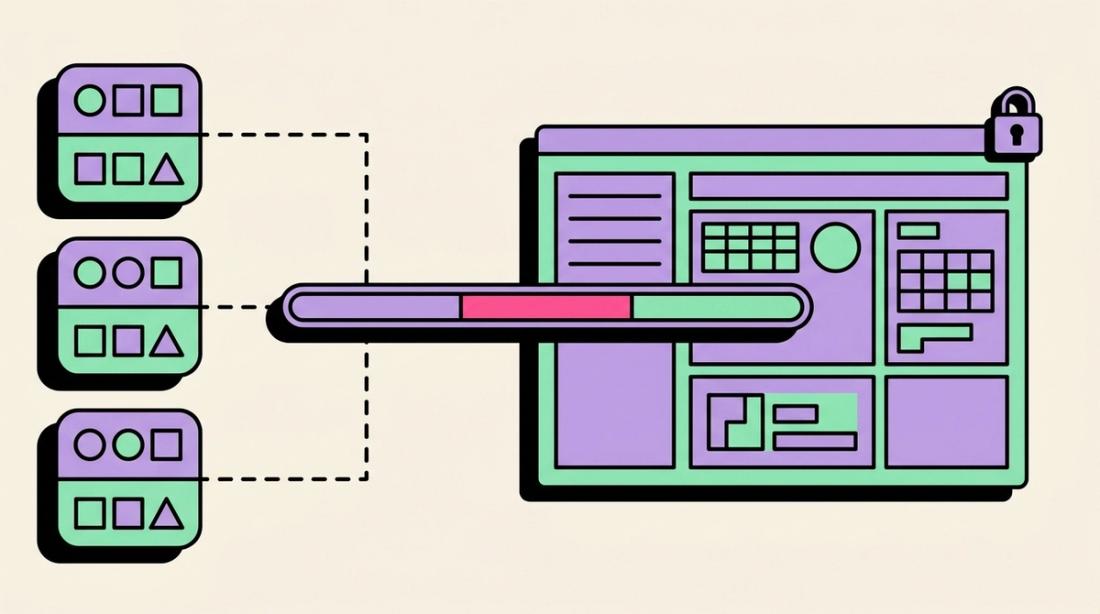
Your no-code tool says no connector available. Here is what to do next.
If you run Zapier, Make, or n8n and you have tried to connect Yardi, Guidewire, eClinicalWorks, or almost any other legacy enterprise platform, you have probably hit the same wall. There is no native connector, and the help docs stop at "we don't support that app." This guide is the part those docs leave out. It covers which legacy platforms your no-code tool can reach today, which ones it cannot, and what connecting the rest through a generated API could look like.
This is an independent reference. Supergood is not affiliated with the platforms named here, and nothing on this page describes a pre-built product for any specific platform. The connection flows below describe what wiring a generated API into a no-code tool could look like. Supergood builds this kind of managed API access on request, scoped to each customer's own account and entitlements. Where a platform offers an official API, use it.
Why legacy platforms have no no-code connector
No-code platforms build connectors for software that ships a public API. Zapier, Make, and n8n each connect to an app by calling that app's documented REST endpoints. When a platform has no public API, or gates it behind a partner program, there is nothing for the connector to call, so the app never appears in the directory.
That is the situation across most vertical enterprise software. Property management systems, EHRs, construction platforms, and insurance cores were built portal-first, for humans clicking through a browser rather than for programmatic access. The result is a large category of business-critical software that no-code tools cannot touch.
Compatibility matrix
The table below shows native connector availability across Zapier, Make, and n8n for 20 of the most-requested legacy platforms. The final column marks whether a generated API is a viable path, an approach the sections below describe. "Community" means a connector exists but is contributed and maintained by users, not by the vendor or the no-code platform.
| Platform | Category | Zapier | Make | n8n | Generated API |
|---|---|---|---|---|---|
| Yardi | Property Management | No | No | No | Viable |
| RealPage | Property Management | No | No | No | Viable |
| Buildium | Property Management | No | No | No | Viable |
| Entrata | Property Management | No | No | No | Viable |
| Rent Manager | Property Management | No | No | No | Viable |
| eClinicalWorks | Healthcare / EHR | No | No | No | Viable |
| AdvancedMD | Healthcare / EHR | No | No | No | Viable |
| ModMed | Healthcare / EHR | No | No | No | Viable |
| Denticon | Healthcare / EHR | No | No | No | Viable |
| Waystar | Healthcare RCM | No | No | No | Viable |
| Procore | Construction | Yes | Community | No | Viable |
| Buildertrend | Construction | No | No | No | Viable |
| Sage 300 CRE | Construction | No | No | No | Viable |
| Clio | Legal | Yes | Yes | No | Viable |
| MyCase | Legal | Yes | Community | No | Viable |
| PracticePanther | Legal | Yes | Yes | No | Viable |
| Guidewire | Insurance | No | No | No | Viable |
| Applied Epic | Insurance | No | No | No | Viable |
| Duck Creek | Insurance | No | No | No | Viable |
| Toast | POS / Hospitality | No | No | No | Viable |
A generated API here means a hypothetical REST layer built on request; this page remains an independent reference.
The pattern is consistent. A few legal platforms and Procore have connectors, and property management, healthcare, insurance, and the rest do not. Where a native connector is missing, a generated API is one way to give the no-code tool something to call.
What connecting through a generated API could look like
Zapier, Make, and n8n all include a generic HTTP building block: Zapier's Webhooks action, Make's HTTP module, and n8n's HTTP Request node. If a platform exposed a REST API, you would point that building block at the API and have a working integration.
A generated API is a REST layer built from the requests a platform's web app already makes to its own backend, rather than from its rendered screens. This section describes what connecting one to a no-code tool would look like. Supergood is one way to create this kind of access, on request. With an API in place, the flow would be the same in any no-code tool:
- Get the API endpoint and key for the platform.
- In your no-code tool, add its HTTP action: Zapier Webhooks, Make HTTP, or n8n HTTP Request.
- Point the request at the endpoint for the object you need, such as units, claims, or matters, and pass your API key in the request header.
- Map the JSON fields the endpoint returns into the next step of your workflow.
The rest of this guide walks through what that flow would look like for the five categories where the connector gap is widest.
Property management
Property management is where the gap is widest and the workflows are most involved. Yardi, RealPage, Buildium, Entrata, and Rent Manager all run their day-to-day operations through portals, and the data teams actually need (unit availability, rent rolls, lease and resident records, work orders, and ledger postings) lives behind authenticated screens or nightly SFTP exports. None of the five has a native Zapier, Make, or n8n connector, so the common workaround is a brittle scraping Zap that breaks whenever the portal changes.
A generated API would replace that. With one in place, a typical availability sync would look like this. In Make, you would add an HTTP module on a schedule that calls the units endpoint for the property, which would return unit status, market rent, and availability dates as JSON. You would route that into your listing platform or ILS feed. To push the other direction, a lease or resident write would be a second HTTP call to the corresponding endpoint, with fields mapped from your CRM or onboarding step.
If the endpoints were normalized across products, the same workflow structure would work whether the underlying system was Yardi Voyager or Buildium, which matters for a mixed portfolio. Accounting writes are the one area to plan carefully: batch posting and GL periods have their own rules, so a ledger endpoint would be its own scheduled flow rather than an inline call.
A unit-availability sync, step by step:
- In Make, add an HTTP module on a schedule, say every 15 minutes, that would call the generated units endpoint for the property.
- Map the JSON it returns (unit status, market rent, and availability dates) into your listing platform or ILS feed.
- For a move-in, add a second HTTP module that would POST a lease or resident write to the matching endpoint, with fields mapped from your CRM or onboarding step.
- Keep ledger and GL postings in their own scheduled scenario, since batch posting and GL periods have rules that should not run inline.
For an independent look at the resources and endpoint sketches this could involve, see the Example Yardi API documentation.
Healthcare and EHR
eClinicalWorks, AdvancedMD, ModMed, and Denticon share the same shape as property management: rich operational data behind an authenticated portal, no self-serve public API, and MFA on the login. The workflows people want to automate are patient scheduling, eligibility checks, record updates, and claim status. Waystar sits slightly apart on the revenue-cycle side but has the same connector gap in the no-code directories.
The flow would be the standard one. You would point your HTTP action at the endpoint for the object, pass the API key, and map the response. A generated API would handle MFA inside the managed session, so your Zap or scenario would not deal with login challenges. Because these are clinical systems, an integration should be scoped to exactly the data the workflow needs, with minimal credential handling on your side.
An eligibility or record-sync flow, step by step:
- In n8n, add an HTTP Request node pointed at the generated endpoint for the object you need: schedule, eligibility, patient record, or claim status.
- Pass your API key in the header. MFA would be handled inside the managed session, so the node would not deal with login challenges.
- Scope the request to only the fields the workflow needs, then map the response into the next node.
- Trigger eligibility and claim-status checks on a schedule or a new-appointment webhook rather than polling continuously.
See the Example eClinicalWorks API documentation or the Example AdvancedMD API documentation for the endpoint design this category would involve.
Construction
Construction is a split case. Procore has a native Zapier connector and a community Make app, so simple triggers are reachable without a generated API. Buildertrend and Sage 300 CRE have neither, which is where most requests land.
When Procore's native connector covers the trigger you need, use it. When you need an object it does not expose, or you are on Buildertrend or Sage 300 CRE, the HTTP-plus-generated-API flow would apply: call the endpoint for budgets, RFIs, change orders, or daily logs, and map the fields into your workflow.
Connecting a project workflow, step by step:
- If you are on Procore and its native Zapier connector covers your trigger, use it.
- For an object Procore does not expose, or for Buildertrend or Sage 300 CRE, add your tool's HTTP action: Zapier Webhooks, Make HTTP, or n8n HTTP Request.
- Point it at the generated endpoint for budgets, RFIs, change orders, or daily logs, and pass your API key.
- Map the returned fields into the next step, such as an accounting sync or a project dashboard.
The Example Buildertrend API documentation covers the endpoint design for the platforms in this category that no-code tools cannot reach.
Legal
Legal is the exception. Clio, MyCase, and PracticePanther all publish public APIs and appear as native connectors on Zapier, and Clio and PracticePanther are on Make as well. For most matter, contact, and invoice triggers, the native connector is the right tool and you would not need anything else.
A generated API would be worth considering here only when the native connector stops short: an object it does not expose, a bulk read it rate-limits, or a firm-management system in this vertical that has no connector at all. In those cases the same HTTP flow would apply.
Extending a native connector, step by step:
- For standard matter, contact, or invoice triggers, use the native Clio, MyCase, or PracticePanther connector in Zapier or Make.
- When the native connector lacks an object or rate-limits a bulk read, add an HTTP action pointed at the generated endpoint instead.
- Pass your API key and map the JSON into your workflow, the same way the native connector would.
See the Example Clio API documentation for where the native connector ends and a generated API could pick up.
Insurance
Insurance cores are the most locked down of the five. Guidewire, Applied Epic, and Duck Creek gate access behind partner programs and paid interface modules, so even where an API exists on paper, a no-code tool cannot reach it without vendor approval. None appears in the Zapier, Make, or n8n directories.
A generated API would give you a REST surface for policies, claims, certificates, and endorsements that your HTTP action could call directly, scoped to your own entitled access. From there the workflow would be identical to the others: request, key, map.
Connecting a policy or claims flow, step by step:
- Add your tool's HTTP action: Zapier Webhooks, Make HTTP, or n8n HTTP Request.
- Point it at the generated endpoint for policies, claims, certificates, or endorsements, scoped to your entitled access.
- Pass your API key in the header and map the response into the next step.
- Run claim-status monitoring on a schedule and route any changes to your notification channel.
The Example Guidewire API documentation covers the resource design an insurance core would involve.
Common questions
Can I connect Zapier to software without an API?
Not directly. Zapier connects to an app by calling that app's public API, so software with no API has nothing for Zapier to call and never appears in the directory. The path forward is to generate a REST API for that software first, then use Zapier's Webhooks action to call it like any other endpoint. Supergood is one way to generate that API, on request.
How do I automate legacy enterprise portals?
Legacy portals were built for human logins, not programmatic access, so one reliable approach is to give the portal a REST API and drive that API from your automation tool. A generated API works at the portal's network layer rather than its rendered screens. Supergood builds this kind of access on request, and your no-code tool then calls it through its standard HTTP action.
What is the difference between scraping and API generation?
Scraping loads the platform's web pages in a browser and reads values out of the rendered HTML, so it is slow and breaks whenever the page layout changes. API generation works one layer down, at the network requests the web app itself makes, and exposes them as stable REST endpoints. The scraping approach depends on the UI staying still; the API approach does not.